AI Productivity Tools for Remote Workers
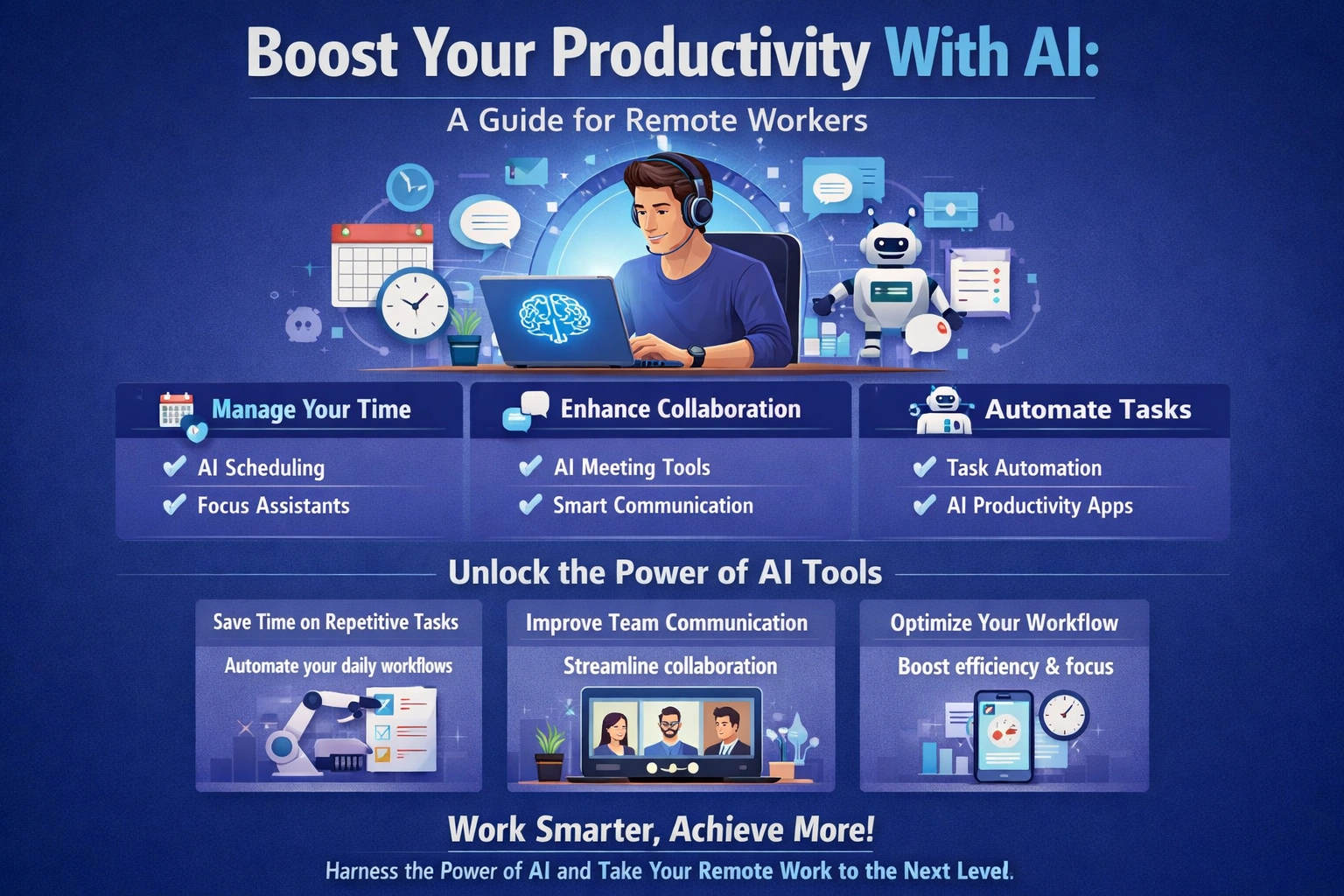
As a remote worker, you're likely no stranger to the challenges of staying productive while working from home. With the constant distractions of family members, household chores, and personal errands, it's easy to get sidetracked and lose focus. But what if you could use artificial intelligence (A...
Introduction to AI Productivity Tools
So, what exactly are AI productivity tools? Simply put, they're software applications that use artificial intelligence and machine learning algorithms to help you manage your time, prioritize tasks, and stay organized. These tools can range from simple virtual assistants like Siri or Google Assistant, to more complex project management platforms like Asana or Trello. By using AI productivity tools, you can free up more time to focus on high-level tasks, and reduce the amount of time spent on mundane administrative tasks. The benefits of AI productivity tools for remote workers are numerous. For one, they can help you stay connected with your team and clients, even when you're working from a remote location. They can also help you prioritize tasks, set deadlines, and track progress, which is especially important when you're working independently. Additionally, AI productivity tools can provide valuable insights and analytics, helping you identify areas where you can improve your workflow and increase your productivity. For example, a tool like RescueTime can help you track how much time you spend on different tasks and activities, providing you with a detailed picture of your productivity. Another tool, like Focus@Will, can help you stay focused and avoid distractions, by providing background music specifically designed to enhance concentration. By using these tools, you can gain a better understanding of your work habits, and make data-driven decisions to improve your productivity.Time Management with AI Tools
One of the most significant challenges of remote work is managing your time effectively. Without a traditional office schedule, it's easy to fall into bad habits, and struggle to stay focused. That's where AI time management tools come in. These tools can help you schedule tasks, set reminders, and track your progress, ensuring that you stay on track and meet your deadlines. For instance, a tool like Calendar can help you schedule appointments and meetings, and even suggest the best times for meetings based on your schedule and preferences. Another tool, like Toggl, can help you track your time spent on tasks, providing you with a detailed picture of your productivity. By using these tools, you can optimize your schedule, and make the most of your time. In addition to scheduling and time tracking, AI tools can also help you enhance your focus and concentration. For example, a tool like Freedom can help you block distracting websites and apps, while a tool like StayFocused can help you set goals and track your progress. By using these tools, you can minimize distractions, and stay focused on your work.Focus Enhancement Techniques
One of the most effective ways to enhance your focus is by using the Pomodoro Technique. This technique involves working in focused 25-minute increments, followed by a 5-minute break. By using this technique, you can stay focused, and avoid burnout. AI tools like Pomofocus can help you implement this technique, by providing a timer and tracking your progress.Communication and Collaboration with AI
 As a remote worker, communication and collaboration are critical to your success. You need to be able to communicate effectively with your team, and collaborate on projects, in order to achieve your goals. AI tools can help you do just that. For instance, virtual meeting tools like Zoom or Google Meet can help you hold virtual meetings, and collaborate with your team in real-time.
Team messaging apps like Slack or Microsoft Teams can help you communicate with your team, and share files and documents. Collaboration software like Asana or Trello can help you manage projects, and track progress. By using these tools, you can stay connected with your team, and work together more effectively.
For example, a tool like Slack can help you create channels for different topics, and integrate with other tools and apps, to enhance your workflow. Another tool, like Asana, can help you create tasks, set deadlines, and track progress, ensuring that your projects are completed on time. By using these tools, you can streamline your communication and collaboration, and achieve your goals more efficiently.
As a remote worker, communication and collaboration are critical to your success. You need to be able to communicate effectively with your team, and collaborate on projects, in order to achieve your goals. AI tools can help you do just that. For instance, virtual meeting tools like Zoom or Google Meet can help you hold virtual meetings, and collaborate with your team in real-time.
Team messaging apps like Slack or Microsoft Teams can help you communicate with your team, and share files and documents. Collaboration software like Asana or Trello can help you manage projects, and track progress. By using these tools, you can stay connected with your team, and work together more effectively.
For example, a tool like Slack can help you create channels for different topics, and integrate with other tools and apps, to enhance your workflow. Another tool, like Asana, can help you create tasks, set deadlines, and track progress, ensuring that your projects are completed on time. By using these tools, you can streamline your communication and collaboration, and achieve your goals more efficiently.
Task Automation with AI
One of the most significant benefits of AI productivity tools is the ability to automate repetitive tasks. By automating tasks, you can free up more time to focus on high-level tasks, and reduce the amount of time spent on mundane administrative tasks. For instance, a tool like Zapier can help you automate tasks, by integrating with other apps and tools, and creating custom workflows. Another tool, like IFTTT (If This Then That), can help you automate tasks, by creating custom recipes, based on specific triggers and actions. By using these tools, you can automate tasks, such as data entry, email management, and social media posting, and focus on more strategic tasks. For example, you can use Zapier to automate the process of saving email attachments to Google Drive, or use IFTTT to automate the process of posting updates to social media. By automating these tasks, you can save time, and reduce the risk of errors. Additionally, you can use AI tools like Automate.io to automate tasks, such as lead generation, and customer follow-up, and focus on more high-level tasks, like strategy and planning.Benefits of Automation
The benefits of automation are numerous. For one, automation can help you save time, by reducing the amount of time spent on repetitive tasks. Automation can also help you reduce errors, by minimizing the risk of human error. Additionally, automation can help you increase productivity, by freeing up more time to focus on high-level tasks.AI-Powered Project Management
AI-powered project management tools can help you plan, manage, and track your projects, ensuring that they're completed on time, and within budget. These tools can provide valuable insights and analytics, helping you identify areas where you can improve your workflow, and increase your productivity. For instance, a tool like Asana can help you create tasks, set deadlines, and track progress, ensuring that your projects are completed on time. Another tool, like Trello, can help you visualize your workflow, and track progress, using boards, lists, and cards. By using these tools, you can streamline your project management, and achieve your goals more efficiently. For example, you can use Asana to create a project plan, and assign tasks to team members, or use Trello to create a board, and track progress, using lists and cards. By using these tools, you can stay organized, and ensure that your projects are completed on time. Additionally, you can use AI-powered project management tools, like Wrike, to automate tasks, and provide real-time visibility, into your project's progress.Project Planning and Tracking
One of the most critical aspects of project management is planning and tracking. AI-powered project management tools can help you create a project plan, and track progress, ensuring that your projects are completed on time, and within budget. By using these tools, you can identify areas where you can improve your workflow, and increase your productivity.Choosing the Right AI Productivity Tool
With so many AI productivity tools available, it can be challenging to choose the right one for your needs. To make the right choice, you need to evaluate your needs, and consider the features, and functionality, of each tool. For instance, you may need a tool that integrates with your existing workflow, or one that provides specific features, such as time tracking, or project management. When evaluating AI productivity tools, consider the following criteria: ease of use, features, and functionality, integration with other tools, and customer support. By evaluating these criteria, you can make an informed decision, and choose the right tool for your needs. Additionally, you can read reviews, and ask for recommendations, to get a better understanding of each tool's strengths, and weaknesses. For example, you can use a tool like Capterra, to compare different AI productivity tools, and read reviews, from other users. By using this tool, you can make an informed decision, and choose the right tool for your needs. Once you've chosen a tool, you can implement it, by following these steps: sign up for a free trial, explore the tool's features, and functionality, and integrate it with your existing workflow.Implementation Tips
Once you've chosen an AI productivity tool, you need to implement it, to get the most out of it. To do this, follow these steps: sign up for a free trial, explore the tool's features, and functionality, and integrate it with your existing workflow. By following these steps, you can ensure a smooth transition, and get the most out of your AI productivity tool.Key Takeaways
In conclusion, AI productivity tools can help you boost your productivity, and achieve your goals more efficiently. By using these tools, you can automate repetitive tasks, enhance your time management skills, and collaborate more effectively with your team. To get the most out of AI productivity tools, you need to choose the right tool for your needs, and implement it effectively. So, what's the next step? Take a closer look at your workflow, and identify areas where you can improve your productivity. Consider using AI productivity tools, such as those mentioned in this article, and explore their features, and functionality. By doing so, you can take your productivity to the next level, and achieve your goals more efficiently. What will you do first to start leveraging AI productivity tools to enhance your remote work experience?Frequently Asked Questions
What are AI productivity tools?
AI productivity tools are software applications that use artificial intelligence to help remote workers manage their time, communicate with team members, and automate tasks
How can AI tools improve remote work productivity?
AI tools can improve remote work productivity by automating repetitive tasks, enhancing focus, and facilitating communication and collaboration among team members
Related Articles
Home Office Layout Ideas
Are you tired of feeling unproductive and distracted while working from home? You're not alone. Many people struggle to create a dedicated workspace that fosters focus and efficiency. A well-designed home office can be a powerful tool to boost your productivity and overall job satisfaction. By opti...
Best Productivity Tools for Remote Teams 2026
As you sit at your desk, sipping your morning coffee and staring at your computer screen, you can't help but think about the challenges of managing a remote team. You've got team members scattered across different time zones, and it can be tough to keep everyone on the same page. But what if you h...
Remote Work Apps and Software Comparison
As you consider transitioning to remote work, you're likely thinking about how to stay productive, manage your team, and maintain security outside of a traditional office setting. With so many remote work apps and software options available, it can be overwhelming to decide which ones to use. You...
Coworking Spaces for Remote Workers
A staggering 63% of companies have remote workers, and this number is expected to grow to 73% in the next decade, according to a report by Upwork. As a remote worker, you're likely no stranger to the flexibility and freedom that comes with working from anywhere. However, you may also be familiar w...