Productivity Suites: Microsoft 365 vs Google Workspace vs Apple iCloud+
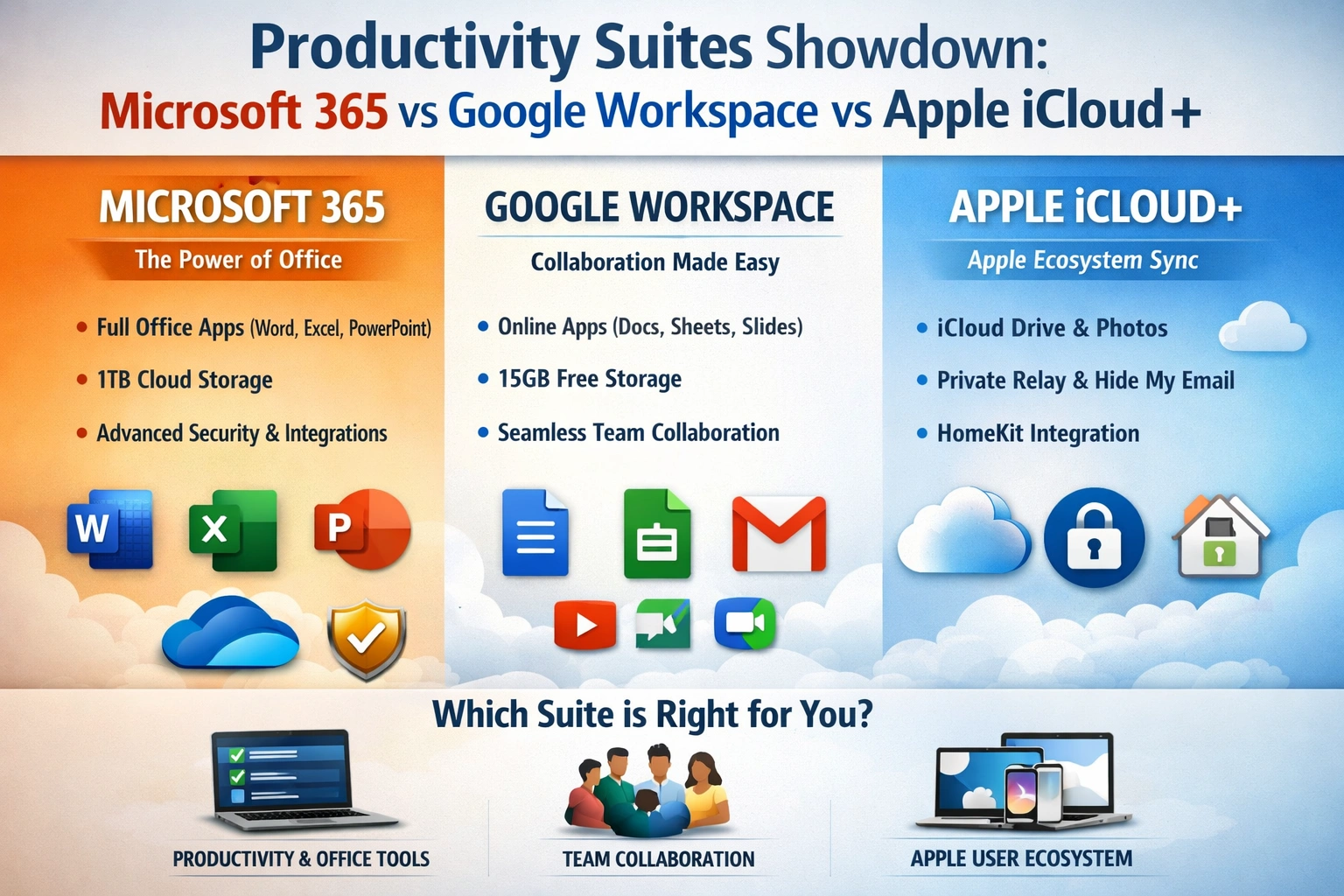
As you strive to manage your work and personal life more efficiently, you're likely considering a productivity suite to help you stay organized and focused. With numerous options available, selecting the right one can be overwhelming. You want a suite that integrates well with your existing tools,...
Introduction to Productivity Suites
A productivity suite is a collection of software applications designed to help individuals and organizations manage their work and personal activities more efficiently. These suites typically include a range of tools, such as word processing, spreadsheet, and presentation software, as well as cloud storage, email, and collaboration features. The importance of productivity suites cannot be overstated, as they enable users to create, edit, and share documents, presentations, and other files from anywhere, at any time. The benefits of using a productivity suite are numerous. For instance, they facilitate collaboration and communication among team members, allowing multiple users to work on a single document simultaneously. They also provide a centralized platform for storing and accessing files, reducing the risk of data loss and increasing overall productivity. Moreover, many productivity suites offer advanced security features, such as encryption and two-factor authentication, to protect sensitive information and prevent unauthorized access. When selecting a productivity suite, it's essential to consider your specific needs and requirements. For example, if you're a freelancer or small business owner, you may prioritize affordability and ease of use. On the other hand, if you're a large enterprise, you may require more advanced features, such as custom branding and dedicated support. By understanding your unique needs and evaluating the features and benefits of each productivity suite, you can make an informed decision that drives business success and enhances your overall productivity.Microsoft 365 Overview
Microsoft 365 is a comprehensive productivity suite that includes a range of applications, such as Word, Excel, PowerPoint, and Outlook. These apps are available online and offline, allowing users to work from anywhere, at any time. Microsoft 365 also offers a generous amount of cloud storage, with plans starting at 1TB per user. Additionally, the suite provides advanced security features, including data encryption, two-factor authentication, and regular software updates to protect against malware and other threats. One of the key benefits of Microsoft 365 is its seamless integration with other Microsoft tools and services. For example, users can easily share files and collaborate with colleagues using Microsoft Teams, or access their email and calendar using Outlook. Microsoft 365 also offers a range of templates and tools to help users create professional-looking documents and presentations, making it an ideal choice for businesses and individuals who require a high level of productivity and collaboration. Microsoft 365 is available in a range of plans, including personal, business, and enterprise options. The personal plan starts at $6.99 per month, while the business plan starts at $8.25 per month. The enterprise plan is customized to meet the specific needs of large organizations, with pricing available upon request. Overall, Microsoft 365 is a powerful and feature-rich productivity suite that offers excellent value for individuals and businesses of all sizes.Google Workspace Overview
Google Workspace, formerly known as G Suite, is a cloud-based productivity suite that includes a range of applications, such as Google Drive, Google Docs, and Google Sheets. These apps are designed to be highly collaborative, allowing multiple users to work on a single document simultaneously. Google Workspace also offers a generous amount of cloud storage, with plans starting at 30GB per user. One of the key benefits of Google Workspace is its tight integration with other Google tools and services. For example, users can easily share files and collaborate with colleagues using Google Drive, or access their email and calendar using Gmail and Google Calendar. Google Workspace also offers a range of add-ons and extensions, making it easy to customize the suite to meet specific business needs. Google Workspace is available in a range of plans, including business and enterprise options. The business plan starts at $6 per month, while the enterprise plan is customized to meet the specific needs of large organizations, with pricing available upon request. Overall, Google Workspace is a highly collaborative and flexible productivity suite that offers excellent value for businesses of all sizes.Apple iCloud+ Overview
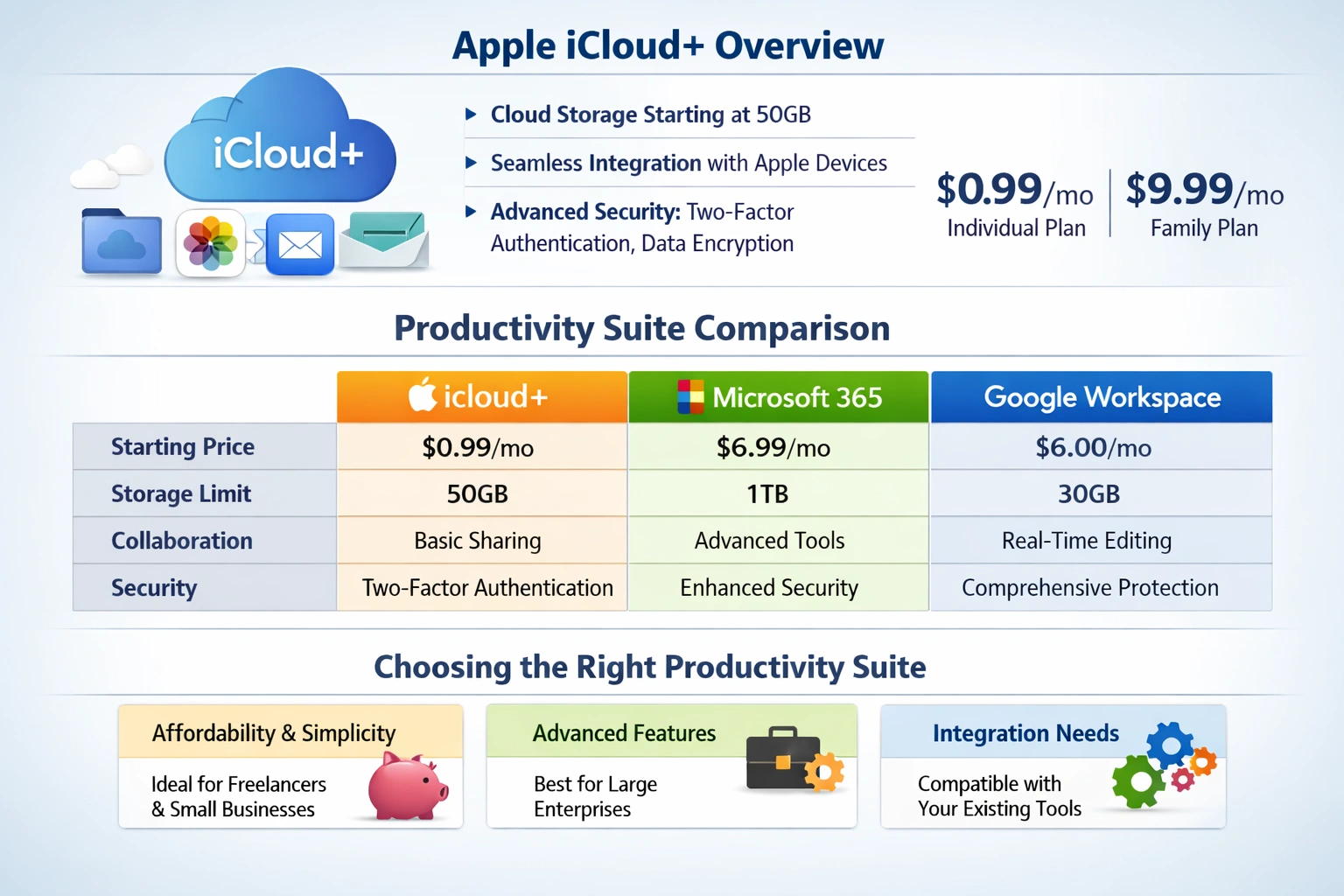 Apple iCloud+ is a cloud-based productivity suite that includes a range of applications, such as iCloud Drive, iCloud Photos, and iCloud Mail. These apps are designed to be highly integrated with other Apple devices and services, making it easy to access and share files across multiple platforms. Apple iCloud+ also offers a generous amount of cloud storage, with plans starting at 50GB per user.
One of the key benefits of Apple iCloud+ is its seamless integration with other Apple devices and services. For example, users can easily share files and collaborate with colleagues using iCloud Drive, or access their email and calendar using iCloud Mail. Apple iCloud+ also offers a range of advanced security features, including two-factor authentication and data encryption, to protect sensitive information and prevent unauthorized access.
Apple iCloud+ is available in a range of plans, including individual and family options. The individual plan starts at $0.99 per month, while the family plan starts at $9.99 per month. Overall, Apple iCloud+ is a highly integrated and secure productivity suite that offers excellent value for individuals and families who use Apple devices.
Apple iCloud+ is a cloud-based productivity suite that includes a range of applications, such as iCloud Drive, iCloud Photos, and iCloud Mail. These apps are designed to be highly integrated with other Apple devices and services, making it easy to access and share files across multiple platforms. Apple iCloud+ also offers a generous amount of cloud storage, with plans starting at 50GB per user.
One of the key benefits of Apple iCloud+ is its seamless integration with other Apple devices and services. For example, users can easily share files and collaborate with colleagues using iCloud Drive, or access their email and calendar using iCloud Mail. Apple iCloud+ also offers a range of advanced security features, including two-factor authentication and data encryption, to protect sensitive information and prevent unauthorized access.
Apple iCloud+ is available in a range of plans, including individual and family options. The individual plan starts at $0.99 per month, while the family plan starts at $9.99 per month. Overall, Apple iCloud+ is a highly integrated and secure productivity suite that offers excellent value for individuals and families who use Apple devices.
Comparison of Productivity Suites
When comparing Microsoft 365, Google Workspace, and Apple iCloud+, there are several key factors to consider. One of the most important factors is pricing, with Microsoft 365 and Google Workspace offering similar pricing plans, starting at around $6-8 per month. Apple iCloud+, on the other hand, offers more affordable pricing plans, starting at $0.99 per month. Another key factor to consider is storage limits, with Microsoft 365 and Google Workspace offering more generous storage limits, starting at 1TB and 30GB per user, respectively. Apple iCloud+ offers more limited storage limits, starting at 50GB per user. Collaboration features are also an important consideration, with Google Workspace offering more advanced collaboration features, such as real-time commenting and editing. In terms of security features, all three productivity suites offer advanced security features, including data encryption and two-factor authentication. However, Microsoft 365 and Google Workspace offer more comprehensive security features, including regular software updates and malware protection. Ultimately, the choice of productivity suite will depend on your specific needs and requirements, including your budget, storage needs, and collaboration requirements.Choosing the Right Productivity Suite
When choosing a productivity suite, it's essential to consider your business needs and personal preferences. For example, if you're a freelancer or small business owner, you may prioritize affordability and ease of use. On the other hand, if you're a large enterprise, you may require more advanced features, such as custom branding and dedicated support. Integration with existing tools and services is also an important consideration. For example, if you're already using Microsoft Office applications, you may prefer to stick with Microsoft 365. On the other hand, if you're using Google Drive and Gmail, you may prefer to use Google Workspace. Apple iCloud+ is a good option if you're already using Apple devices and services. Ultimately, the key to choosing the right productivity suite is to evaluate your specific needs and requirements, and to consider the features and benefits of each suite. By doing so, you can make an informed decision that drives business success and enhances your overall productivity. It's also essential to consider the level of support and training required, as well as the potential for customization and scalability.Key Takeaways
In conclusion, Microsoft 365, Google Workspace, and Apple iCloud+ are all powerful productivity suites that offer a range of features and benefits. By understanding your specific needs and requirements, and evaluating the features and benefits of each suite, you can make an informed decision that drives business success and enhances your overall productivity. As you consider your options, remember to prioritize your business needs, personal preferences, and integration with existing tools and services. What will you do next to boost your productivity and streamline your workflow? Will you choose Microsoft 365, Google Workspace, or Apple iCloud+, or will you explore other options? Whatever your decision, remember that the right productivity suite can make all the difference in achieving your goals and realizing your full potential.Frequently Asked Questions
What is the best productivity suite for businesses?
The best productivity suite for businesses depends on their specific needs and requirements
Can I use multiple productivity suites at the same time?
Yes, it is possible to use multiple productivity suites at the same time, but it may require some integration and setup
Related Articles
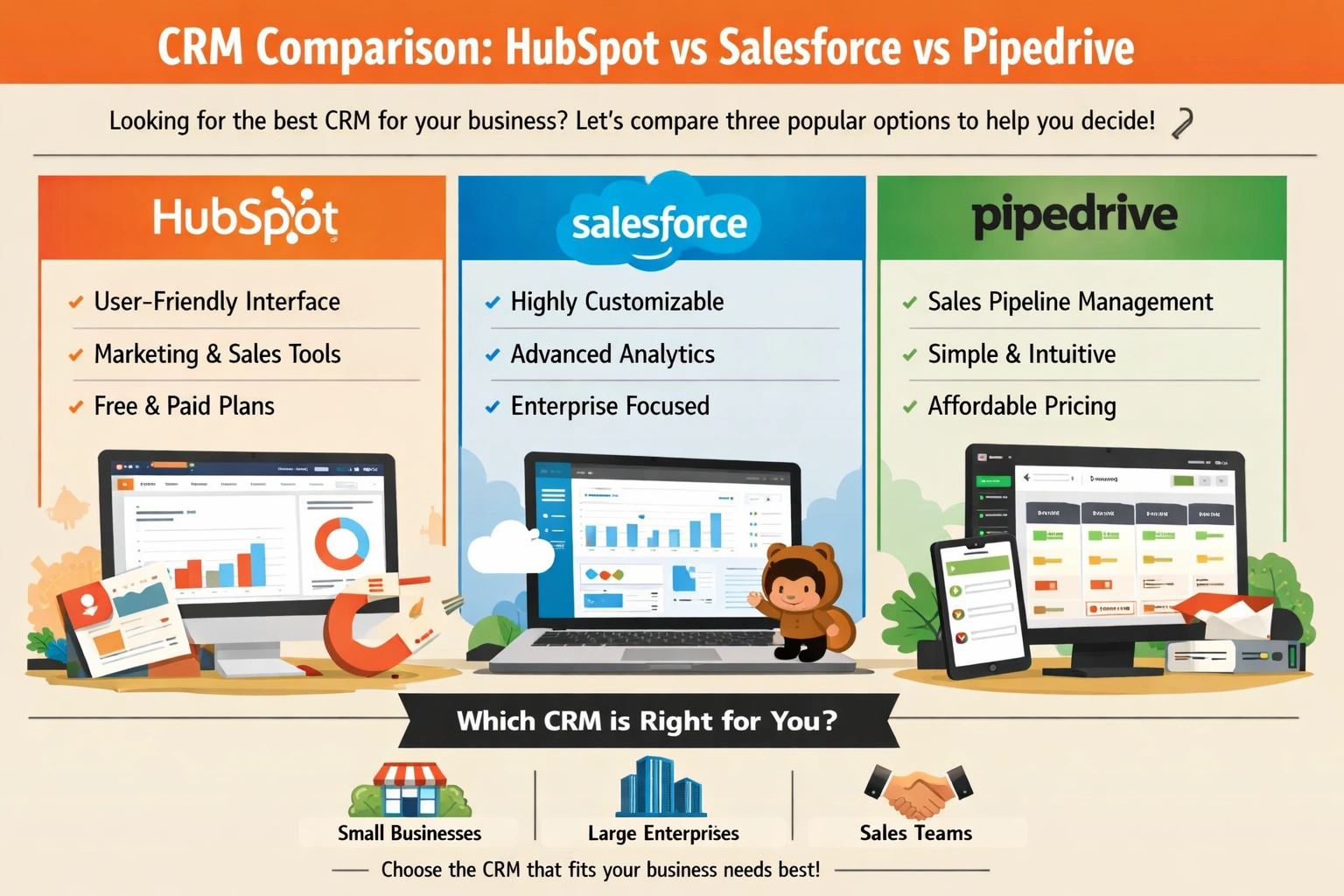
CRM Comparison: HubSpot vs Salesforce vs Pipedrive
You're sitting at your desk, staring at a pile of business cards, notes, and spreadsheets, trying to make sense of your customer interactions. You know that managing your relationships with customers is key to growing your business, but it's getting increasingly difficult to keep track of everythi...
Enterprise Search Software Comparison 2026
Imagine being able to find any piece of information you need within your organization in a matter of seconds. Sounds like a dream, right? Well, with the right enterprise search software, this can become a reality. You might be wondering, what exactly is enterprise search software and how can it be...
Best Alternatives to Expensive Software
You're likely no stranger to the frustration of expensive software prices. Whether you're a student, freelancer, or business owner, the cost of software can quickly add up and eat into your budget. But what if you could access high-quality software without breaking the bank? The good news is that...